Digital Forms That Connect to Your IoT World
Replace paper-based processes with smart mobile forms that capture location, sensor data, photos and signatures — and automatically trigger workflows, alerts and reports. Your field data should be live, not locked in a PDF.
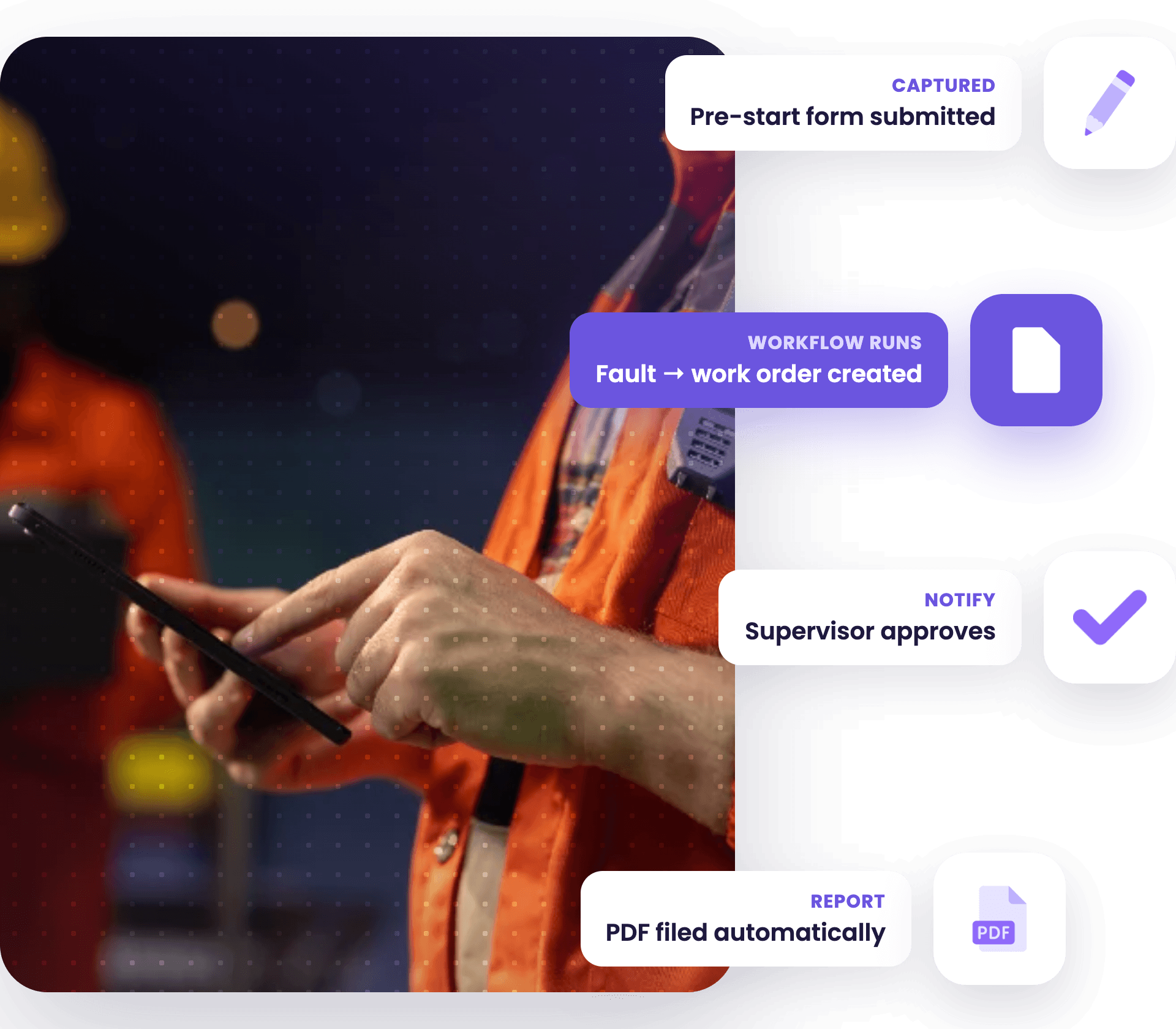
It’s Not a Form.
It’s a Workflow Trigger.
Most digital form tools stop at the form. workM8 digital forms are part of a live IoT platform. A submission in the field can immediately update a dashboard, trigger an alert, modify a geofence rule, push data to SAP, or notify a supervisor — all automatically, based on what was captured.
- Auto-populate forms with sensor data and GPS location
- Conditional logic and branching based on responses
- Photo, signature, barcode and NFC capture
- Automated PDF report generation and email delivery
- Trigger downstream workflows based on form data
- Works offline with sync when connection is restored
- QR code, NFC and Bluetooth beacon-triggered forms
- Integrated with vehicle, asset and lone worker data

Audit-Ready Compliance Records
GPS, timestamps and full audit trails for compliance — always accessible, never lost.

Context-Aware Forms That Trigger Themselves
Geo-fencing and NFC automate workflows — no searching, no manual steps for field workers.

Real-World Data, Captured Automatically
Pull live sensor and equipment data directly into forms — no manual entry or errors.
Forms That Work as Hard as Your Team Does
workM8 digital forms are built, deployed and managed entirely within the platform — no third-party form tool, no separate subscription, no integration headaches.
No Developer. No Code. No Waiting.
Drag and drop fields, set conditional logic, add your branding and publish — your team can be submitting forms from the field the same day.
Offline-First. GPS Aware. Camera-Ready.
workM8 forms work without signal and sync the moment connectivity returns. Every submission is automatically stamped with GPS location, time and worker ID.
One Submission. Zero Rekeying.
Form data flows straight to your dashboards, reports and connected systems — SAP, Salesforce, ServiceNow or any REST API endpoint. No manual entry, no spreadsheet imports.
How Enterprises Use workM8 Digital Forms
Construction & Civil
Geo-fence site inductions trigger automatically when workers arrive on site. Pre-start checklists, hazard reports and toolbox talk sign-offs captured with GPS and timestamp.
Transport & Logistics
Pre-trip vehicle inspections, proof-of-delivery with photo and signature, and incident reports — submitted from the cab without paperwork. Data syncs to the back office before the driver reaches the next stop.
Field Service & Utilities
Job completion forms with customer signature, asset condition reports with photo capture, and permit-to-work checklists — all linked to the work order and the attending vehicle.

Mining & Remote Operations
Pre-shift safety declarations, confined space entry permits and near-miss reports — submitted offline and synced when connectivity returns. Satellite-backed for workers beyond cellular coverage.

Healthcare & Aged Care
Client visit logs, medication administration records and incident reports submitted from the worker’s phone with GPS timestamps. Automatic escalation if a form is not submitted within a set window.

Agriculture & Primary Industries
Chemical application records, equipment inspection checklists and biosecurity declarations — captured offline across large properties and synced when workers return to connectivity.
Digital Forms FAQs
What Are Digital Forms?
Digital forms are electronic versions of paper forms that workers complete on a phone or tablet instead of on paper. They capture information such as inspections, checklists, incident reports and sign-offs and send it straight to a central system, so there is no manual data entry and no paperwork gets lost between the field and the office.
How Do Digital Forms Work?
Digital forms work by letting a worker fill out a form on a mobile device, then submitting it to a central platform over a mobile or Wi-Fi connection. The platform stores each submission, can capture GPS location and photos, and can trigger the next step automatically, such as sending an alert or updating a record.
Can Digital Forms Be Completed Offline?
Yes, digital forms can be completed offline. Workers fill them out on a phone or tablet with no signal, and the form saves on the device until it reconnects, then uploads automatically. This matters for teams working on remote sites, underground or in areas with no mobile coverage, where paper has always been the fallback.
What Is the Difference Between Digital Forms and Paper Forms?
The difference between digital forms and paper forms is that digital forms capture data electronically and act on it, while paper forms only record it. A digital form can attach GPS and photos, sync to your business systems and trigger a workflow the moment it is submitted, so a completed form starts the next task rather than sitting in a filing cabinet.
What Should You Look for in a Digital Forms Solution?
Look for a digital forms solution that works offline, captures GPS and photos, and triggers the next action automatically instead of just storing a PDF. workM8 runs digital forms on the same IoT platform as your vehicle tracking, so a submitted form can update records, alert a manager or push into your existing business systems.
Ready to go paperless?
Get a personalised demo of our platform to see how you can build digital forms in minutes.
Request a Demo